
The menu
Everything on the menu is built. What isn’t ready or hasn’t been tested yet is at the bottom.
Module turned on with an activation code from Allivo
The till
-
1
Sales
menu with categories and sizes, keypad with item numbers, search, basket, discount, note, customer, park
-
2
½ + ½
two halves on one line, priced by the more expensive half
-
3
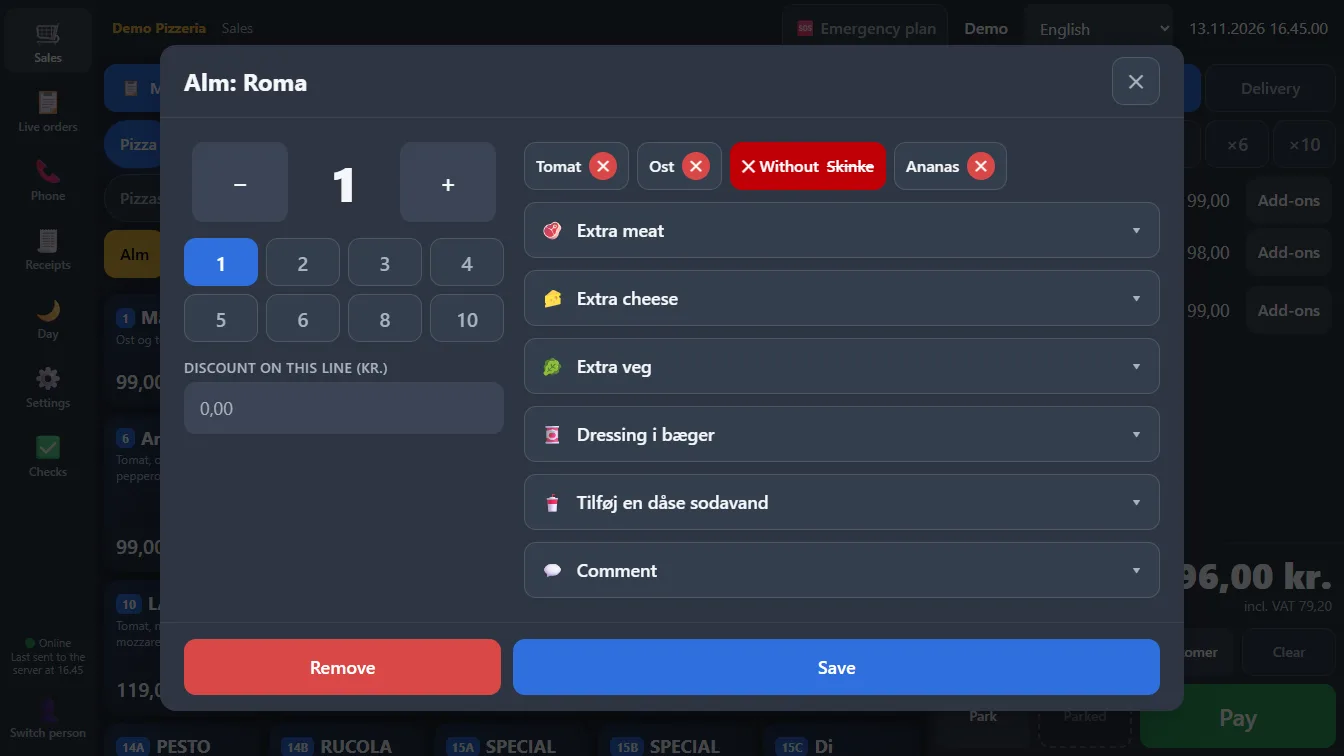
Adjust the item
ingredients with a red cross, add-ons in lists, comment to the kitchen with one tap
-
4
Payment
three taps with Exact or quick picks, notes and coins with multipliers, change in big type, split payment, undo within 2 minutes
-
5
Fewer taps
×2 to ×10 before the item, quantity on the line, 10, 20 or 50% discount with one tap
-
6
Refund
only what is left, exactly what was paid, always as a new entry
-
7
Menu from Excel
fill in the template, see new, changed and unchanged per item, save only when it’s right
-
8
Training
everything marked INVALID, its own number series, doesn’t count
-
9
Customer display
the customer follows along on a screen with its own language setting
Orders
-
10
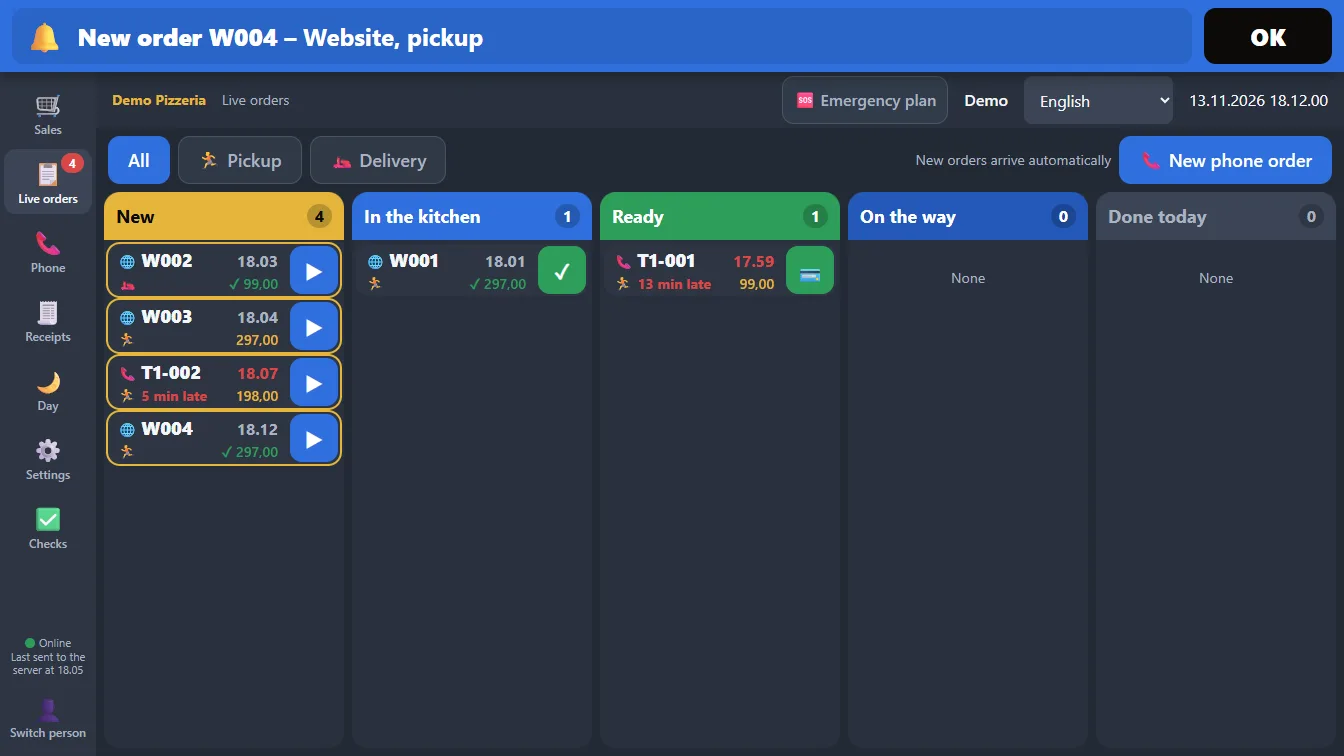
Live orders
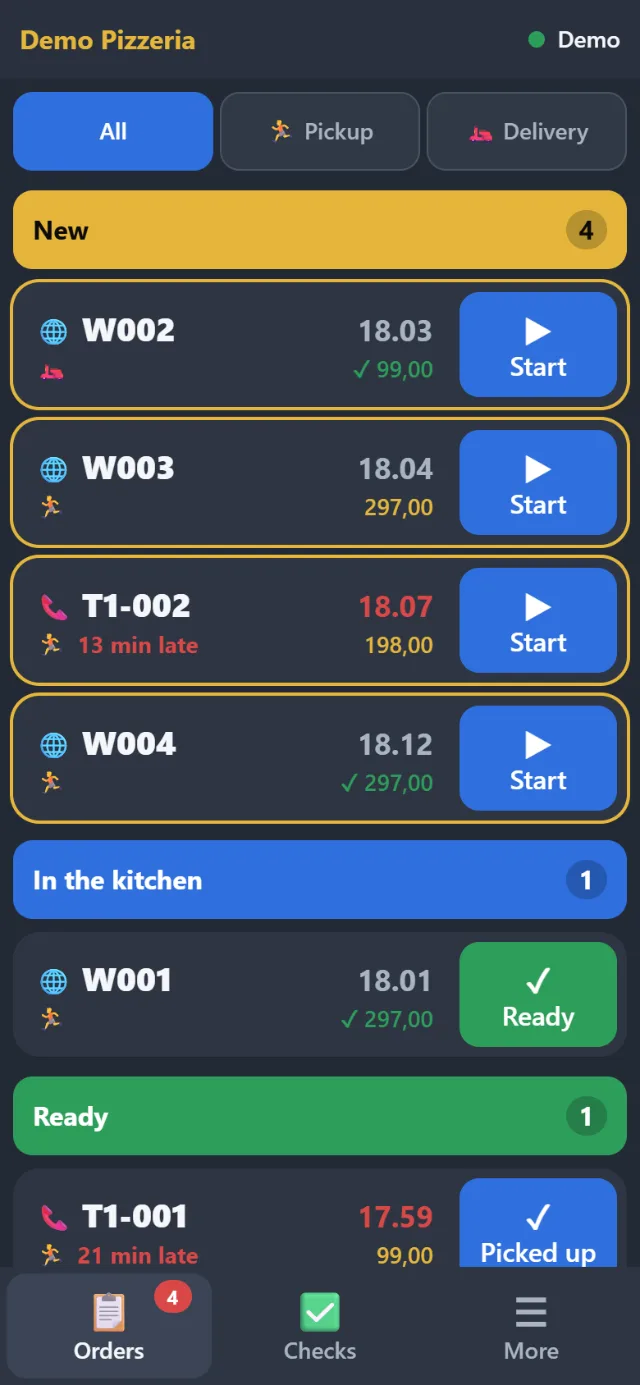
New, In the kitchen, Ready, On the way, Done today, countdown, payment status, one row per order
-
11
Phone order
customer remembered by number, pickup or delivery, today, tomorrow or another day, payment on delivery
-
12
Module
Orders from your website
the website’s server is programmed to send orders with a key, no duplicates, items match on number or name, the owner can correct the match
-
13
New order rings
ding-dong every 5, 10 or 30 seconds, bar on all pages, stops on OK, Start, payment or cancellation, can be turned off
-
14
Kitchen ticket
from the phone page, on the order card or at Start, warns when no printer is chosen
-
15
Module
Delivery
send with driver, On the way, Delivered
The day and the journal
-
16
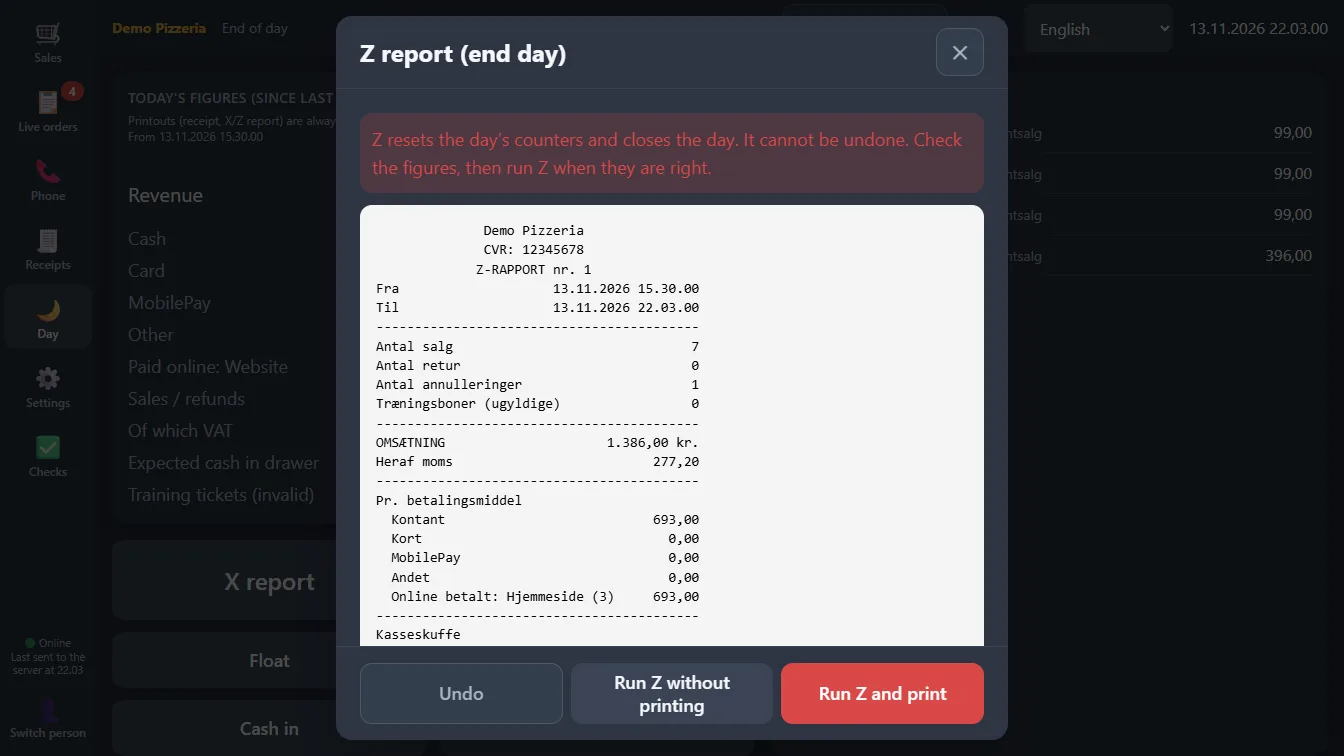
X and Z
shown on screen before print, float, cash in and out, drawer log
-
17
Journal
only takes new entries, journal numbers per till with no gaps, chain and seal, check from the till
-
18
SAF-T
SAF-T Cash Register file straight from the journal, for the whole CVR number or for one till, the Danish Tax Agency’s control program hasn’t been run yet
-
19
Reports
revenue, number of sales, VAT, payment methods, till and seller, filtered by period
Food safety checks
-
20
Module
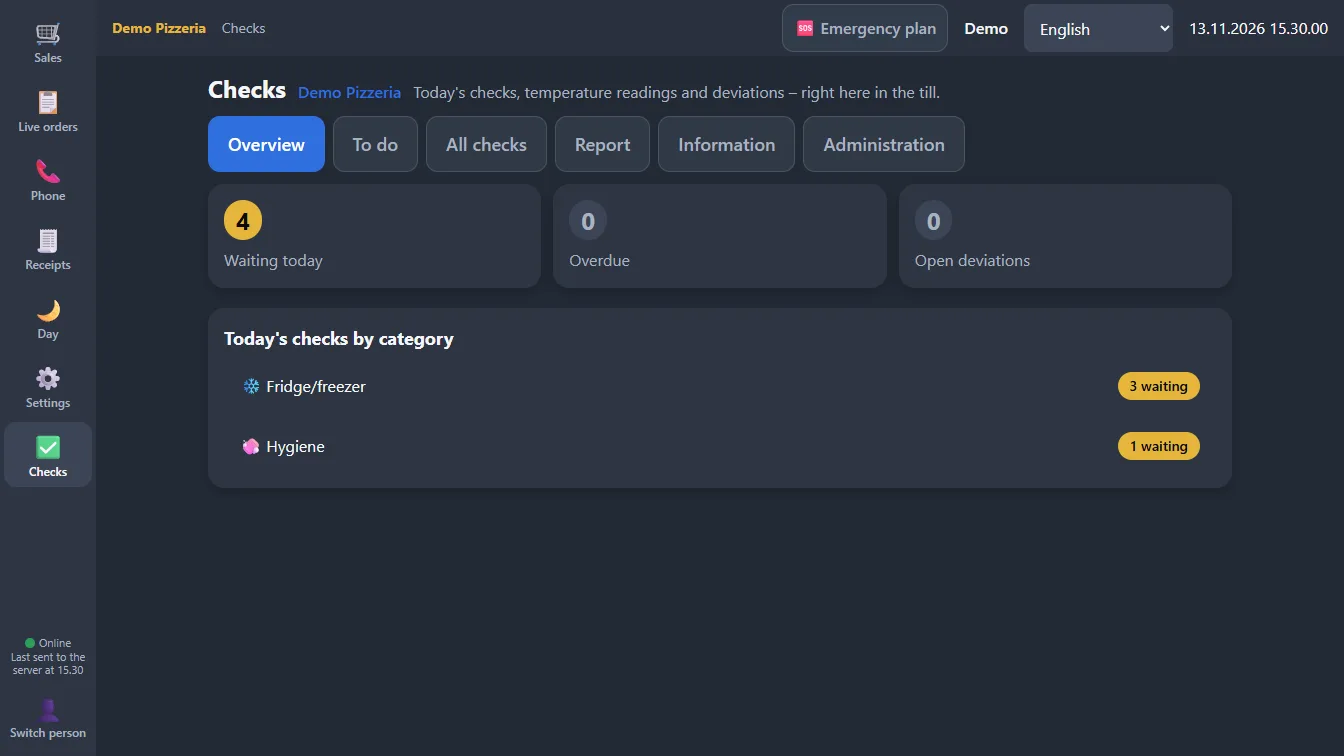
Today’s checks
fridge, freezer, hot holding, heating, cooling, goods receipt, cleaning and checklists
-
21
Module
Deviations
note, close and reopen, opening days and closed days
-
22
Module
Pictures
take the picture with the phone, and it stays with the check
-
23
Module
Programme and report
risk analysis, self-check programme and monthly report
When something goes wrong
-
24
Selling offline
sales and login without internet, bar with time and count, sent by itself when the internet is back
-
25
Backup printer
one button when the printer reports an error, or the other printer takes over by itself, needs two printers
-
26
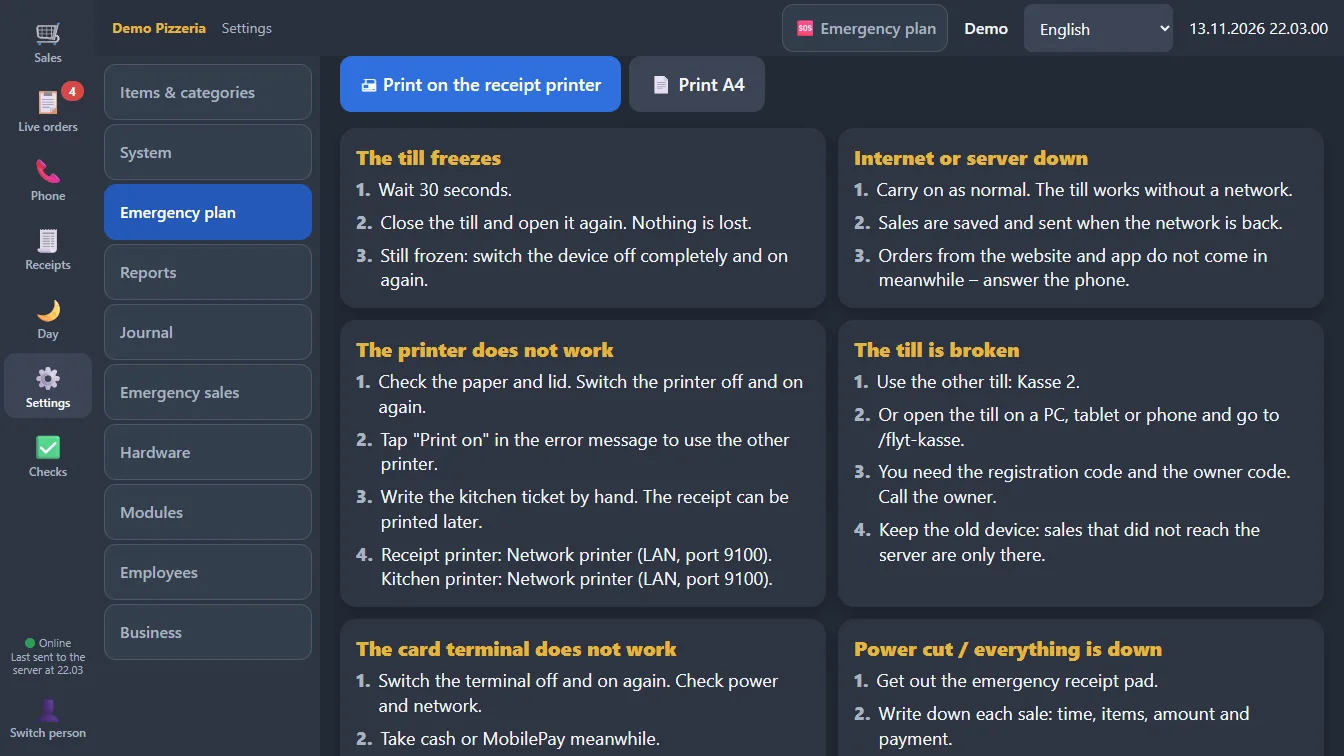
Watchdog in the app
no sign of life for 30 seconds and the till reloads, a "Restart the till" button if that doesn’t help
-
27
Move the till
to a new device with the registration code and the owner code, needs a connection to the server, sales that didn’t get through stay on the old device
-
28
Emergency plan
on a ticket, on A4 and on a phone without login, print it and open the link in advance, the owner edits the text
-
29
Emergency sales on paper
numbered emergency tickets printed in advance, registered afterwards with the owner code as new entries
-
30
Backup
every night at 04:00, checked, 30 daily and 12 monthly, extra copy on USB or network drive, pictures from the food safety checks aren’t included yet
Phone, languages and equipment
-
31
Allivo on the phone
QR code, own PIN, orders and food safety checks, print via the till, can be blocked
-
32
Six languages
Danish, English, German, Turkish, Arabic and Kurdish (Sorani), mirrored in Arabic and Kurdish, printouts always in Danish, the app’s own settings only in Danish and English
-
33
The Allivo app
for Android tills, first the Sunmi T2s: full screen, built-in printer and drawer, starts when the till is turned on
-
34
In a browser
the till can also run in a browser and start without internet
-
35
Printers
built into the till, on the network or by cable
Not on the menu yet
This isn’t ready or hasn’t been tested yet. We’d rather say so here than afterwards.
Card terminal
Card payments are registered on the till. A direct integration with the terminal isn’t finished.
MobilePay
Staff register the payment on the till. There’s no direct integration.
Ordering page and customer app
Not built. If you already have a website, it can be programmed to send orders into Allivo.
Kitchen screen and driver app
Not built. The kitchen gets a ticket from the printer.
Selling on the phone
The phone can’t sell. That’s on purpose.
Not yet tested on real equipment
Allivo on a real phone, moving the till, the backup printer, a real till freeze and restoring a copy.