
Allivo till
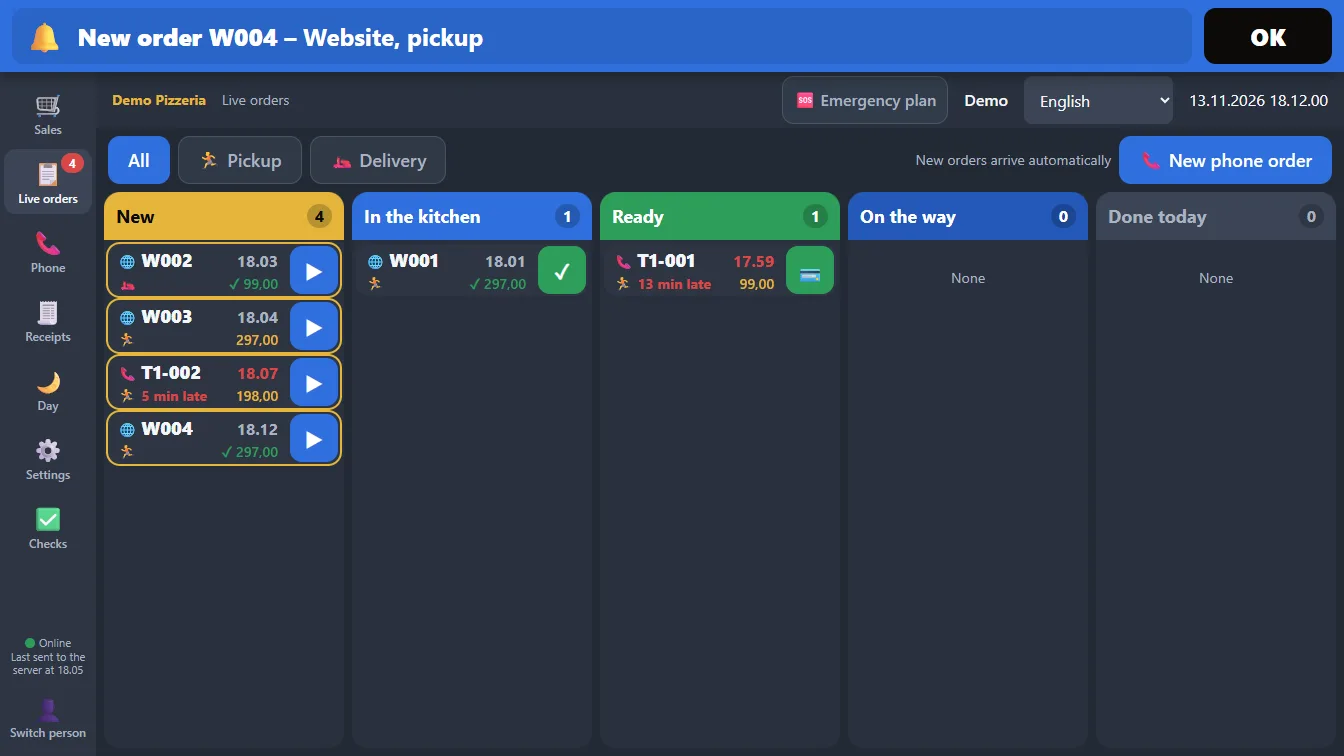
All orders land in one place.
The shop, the phone, Liv AI phone, the website and the app: it’s all on the same screen.
Order 99 is on the screen
1 One list with everything.
The colours show how far each order has got. Order 99 is there a few seconds after the call.
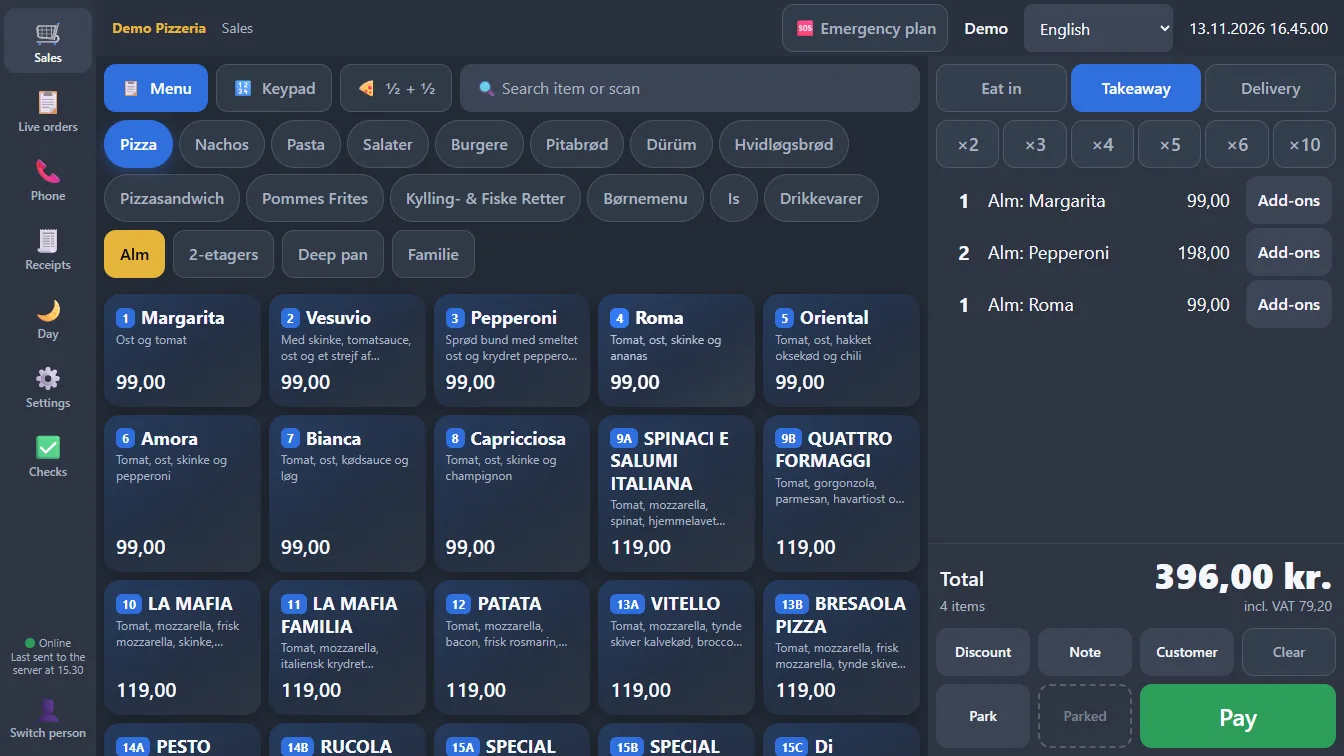
2 A sale in a few taps.
Pick the item, tap Pay, done. The kitchen ticket prints by itself.
3 Two screens when it’s busy.
One at the counter and one by the phone. Both see the same orders, and the ticket always comes out in the same place.
The ticket always prints in one place.
Find the item
Tap the item on the menu, or type its number.
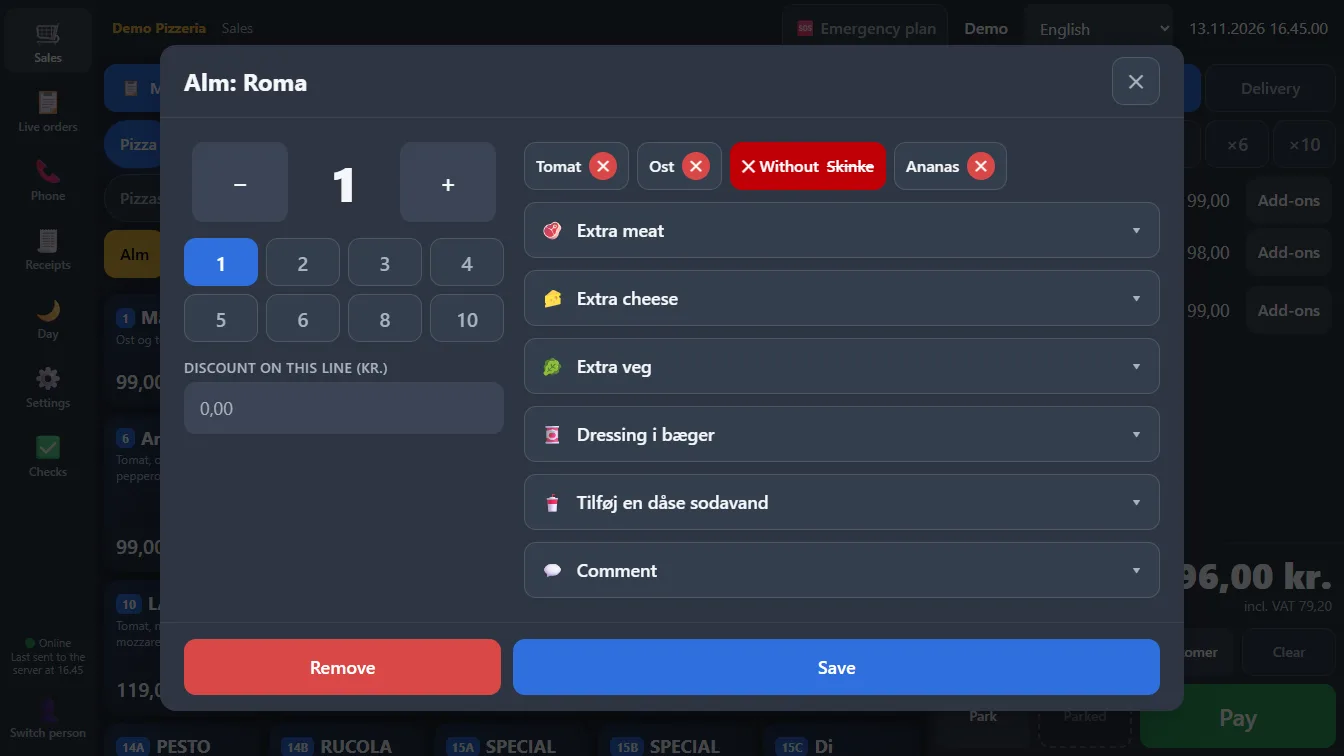
Sizes, half and half, without and extra
Pick the size, split the item into two halves, and remove or add with one tap.
Put an order on hold
Park the order, serve the next customer, and bring it back.
Discount, note and refund
Discount with one tap, a note to the kitchen, and a refund when something has to go back.
Waiting time right now
Set the waiting time when it’s busy. The customer is told when they order.
Driver on the order
Give the order to a driver, and follow it until it’s delivered.
Six languages
Each member of staff picks their own language. The ticket is always in Danish.
Till and phone
Allivo runs on a till with a built-in printer and on a phone.
Already have a till?
It can be used if it has a receipt printer and a cash drawer and so meets the Danish Tax Agency’s requirements.